 YS LabsAll apps →
Built for calculation fundamentals
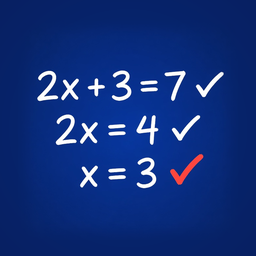
- Why steps matter. Math, physics and chemistry problems that need calculation are solved in steps. One wrong step spoils every line after it, and checking only the final answer does not show where it went wrong.
- What shoWork does. It checks each handwritten line against the lines before it, so a student sees the first wrong step right away and fixes that step on their own.
- What it covers. Math calculation from grade 5 through the end of high school, including calculus, matrices and statistics, and the calculation steps in physics and chemistry problems: unit conversions, formula setup and arithmetic (for example stoichiometry, gas laws or kinematics). Concept and diagram questions are not checked.
- Why no answers. shoWork never shows the answer or a full solution, so the student does the working and the feedback is about their own step.
- 한국어 요약. shoWork는 손으로 쓴 풀이를 한 줄씩 검증해, 계산이 필요한 수학·물리·화학 문제의 기초를 효율적으로 다지도록 돕는 iPad 앱입니다. 처음 틀린 줄을 바로 알려 주고, 정답은 보여 주지 않습니다.
Key facts
| Fact | Value |
|---|---|
| Platform | iPad only (App Store) |
| Minimum OS | iPadOS 17.0 or later |
| Apple Pencil | Designed for Apple Pencil. A finger also works: Settings → Draw with finger (on by default unless the iPad is set to draw only with Apple Pencil) |
| Price | Free to download. Every iPad gets 1 free problem every week. More problems need an auto-renewing subscription (Basic, Premium or Family) or a one-time problem pack. No free trial or introductory offer on the subscriptions |
| Ads | None. No ads, analytics or tracking. Error reports go to Sentry without any identifier |
| Account | None. No sign-up or login |
| AI | Yes. Anthropic's Claude reads and checks each line through our server. Anthropic does not use the lines to train its models |
| Internet | Needed to check lines and to buy or restore. Saved history can be opened without a connection |
| Where data goes | Each written line is sent as an image to our server (hosted by Netlify, United States) and to Anthropic (Claude, United States) to read and check it. Neither we nor our server keep the image or the lines afterward, except that a check result is kept until the app collects it (one never collected is deleted within 70 minutes). Solved problems are saved as text on the iPad only. Purchase checks go through Apple |
| Languages | App screens: English. Explanations and hints: English or Korean (Korean when the iPad's language is Korean, otherwise English) |
| Subjects | Math calculation problems from grade 5 through the end of high school, including calculus, matrices and statistics, plus calculation problems in physics and chemistry |
| Not covered | Written proofs, drawing graphs or constructions, column-style written arithmetic (stacked digits), concept or diagram questions in physics and chemistry |
| Category | Education |
| Age rating | 4+ (App Store) |
| Availability | On the App Store in 175 countries and regions, including the EU |
| Developer | YS Labs, South Korea |
How it works
- Write the problem on the first line. Then write your solution below it, one step per line, with Apple Pencil or a finger.
- When you finish a line, shoWork reads it and shows it back as typeset math. If it misread something, tap the line to fix it.
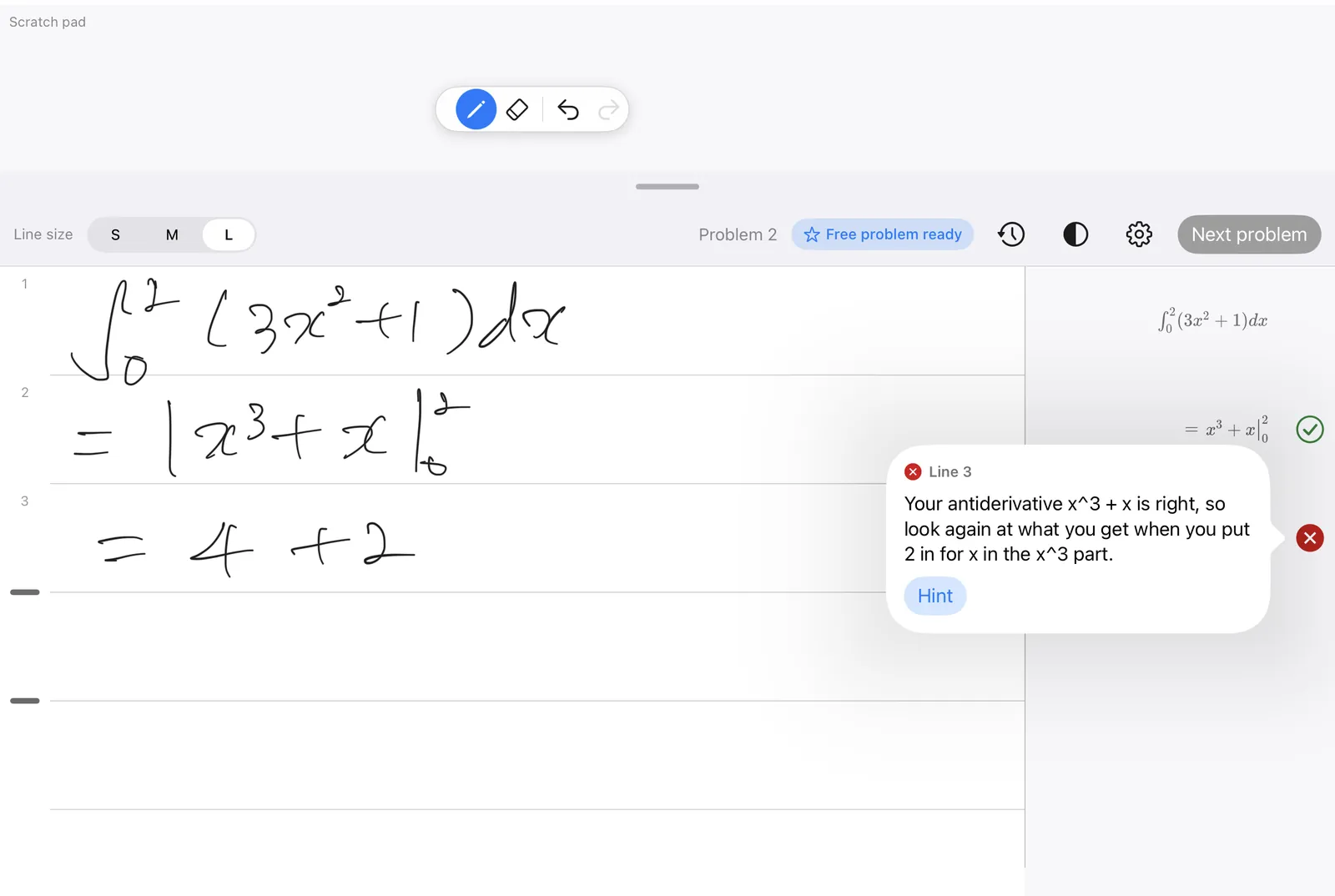
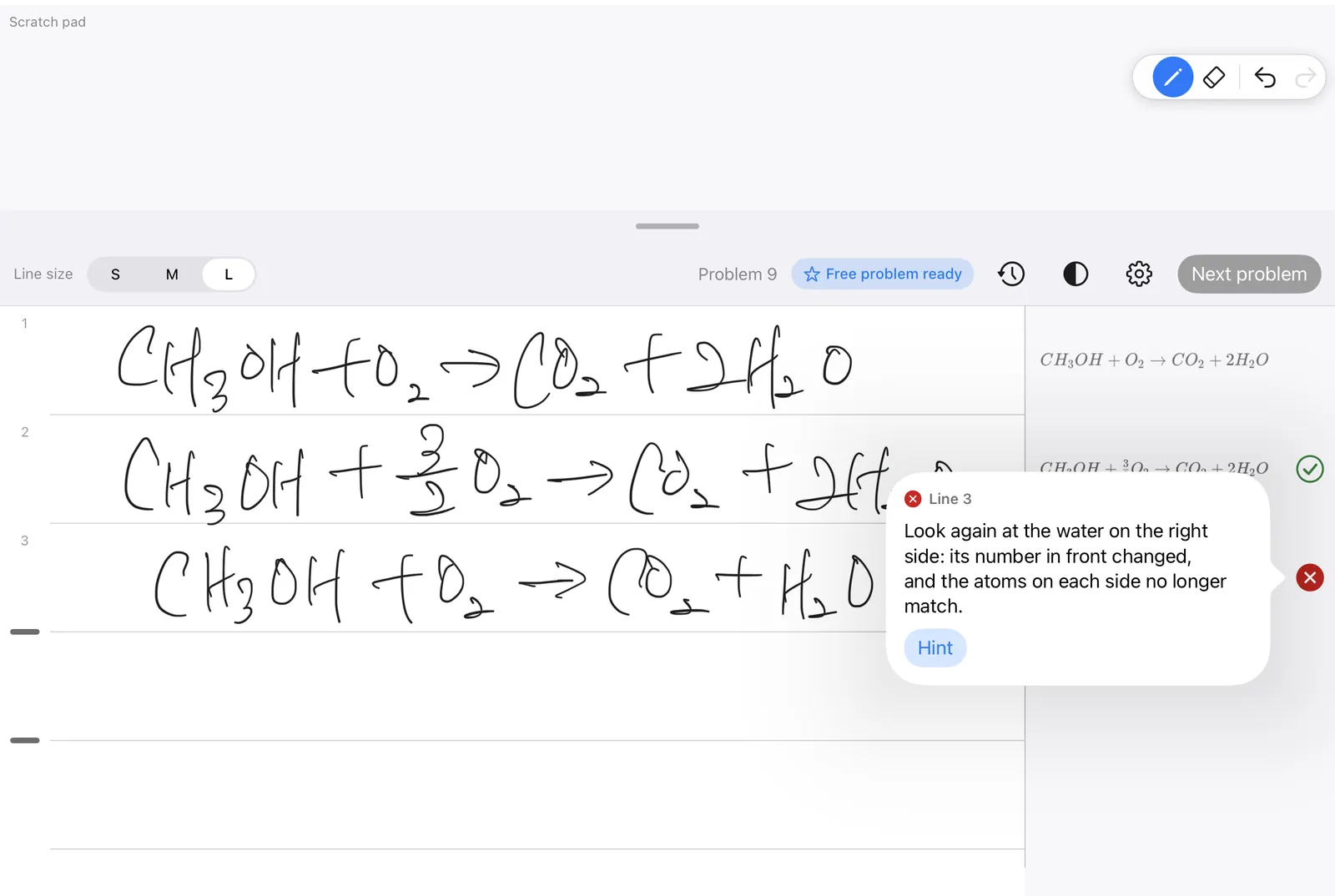
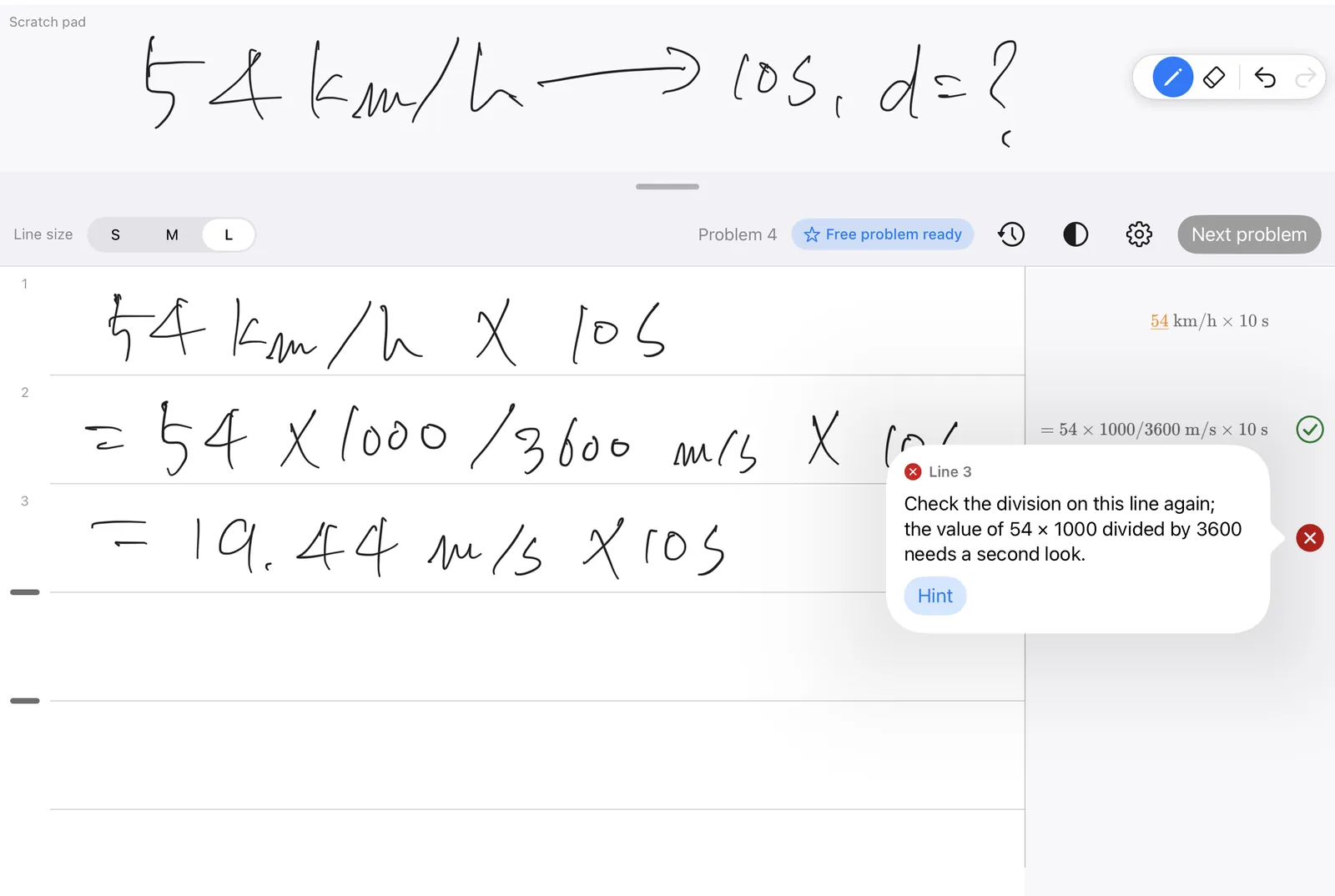
- Each line is checked against the lines above it, and a small mark appears beside it: - ✓ — the step is correct - ✗ — the first wrong line, with a one-sentence reason that does not reveal the answer - ? — the app could not confirm the step
- On a ✗ line you can ask for up to two more hints: first the rule involved, then the kind of step to redo. shoWork never shows the answer or a full solution.
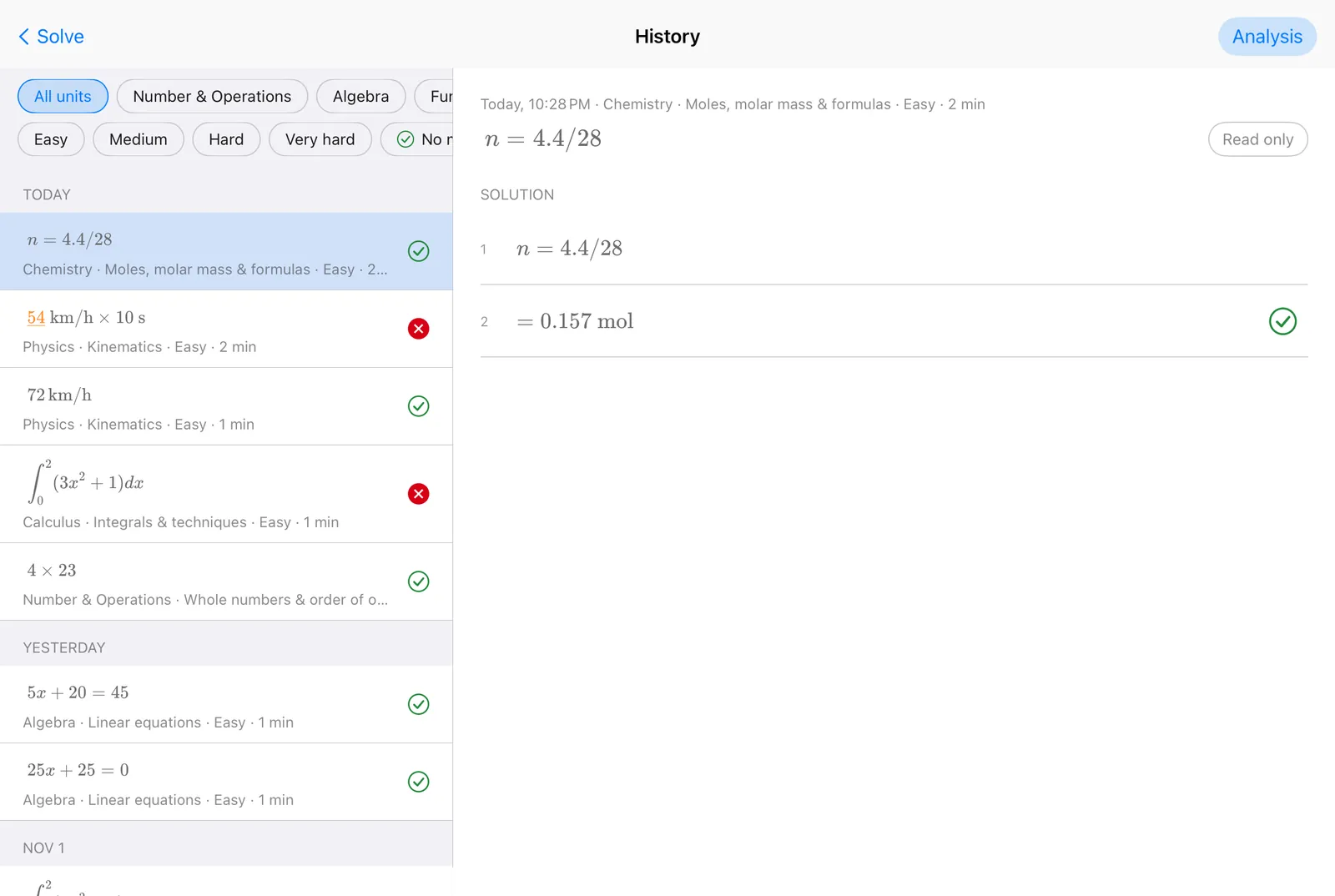
- Tap Next problem. The finished problem is saved as text in History on the iPad.
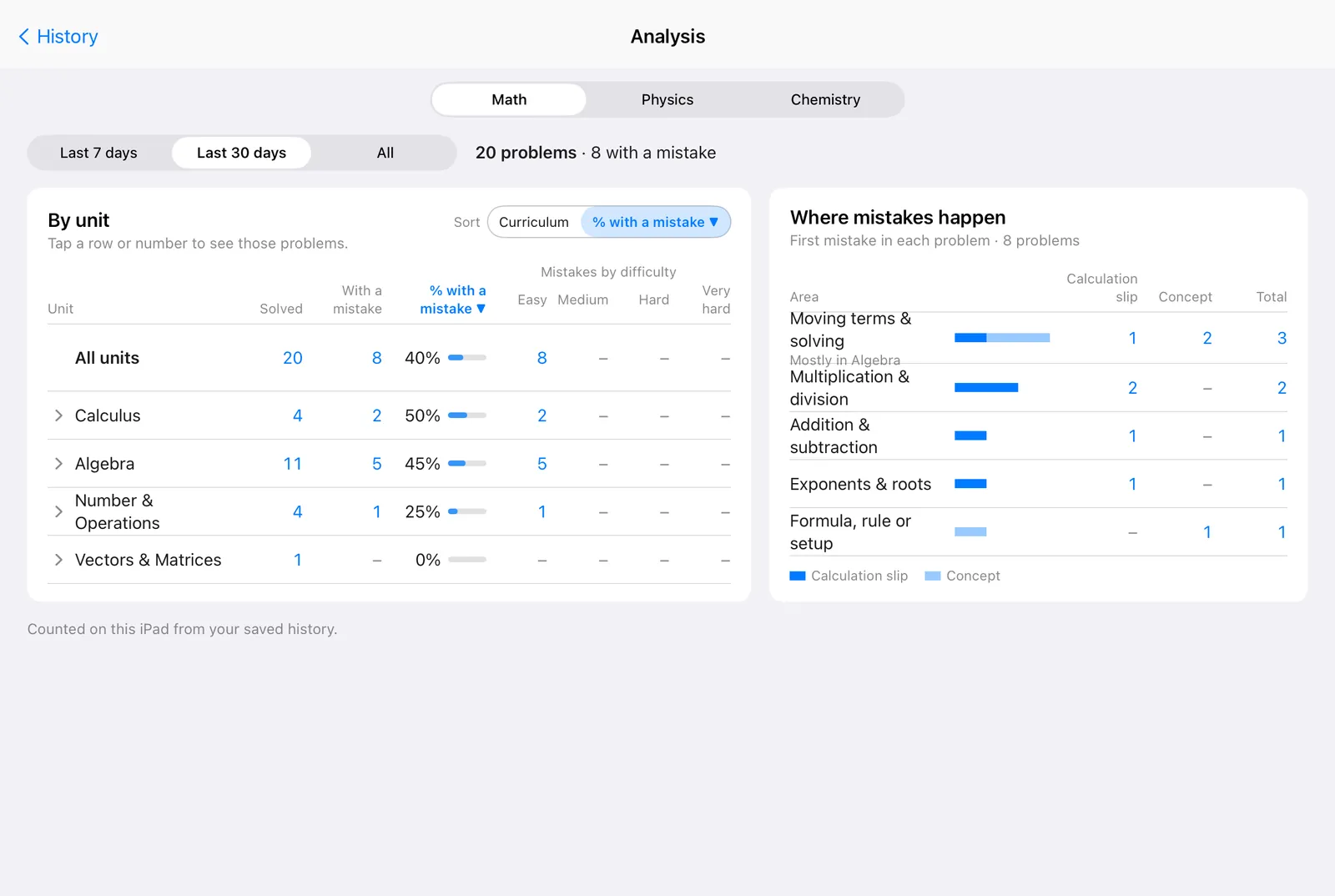
- Open Analysis from History to see, for math, physics and chemistry separately, which topics and difficulty levels have the most problems with a mistake, and whether the first mistake was a calculation slip or a concept. Tap a row to see those problems. Analysis is counted on the iPad from saved problems; nothing extra is sent.
Made for
- Exam practice. Check practice problems at the level of college entrance exams (for example SAT math, AP Calculus, A-level, Korea's CSAT) and find the exact step where an error starts.
- Homework self-check. Find the first wrong step on your own instead of looking up the answer.
- Physics and chemistry calculations. Check unit conversions, formula setup and arithmetic in calculation problems such as stoichiometry, gas laws or kinematics.
- Matrices. Make one line taller to write a matrix or column vector on it. shoWork checks that line too.
- Reviewing past mistakes. Open a saved problem in History to see which line was wrong and the hints you opened, or open Analysis to see which topics and kinds of mistakes come up most (last 7 days, last 30 days or all).
Pricing
Free to download. Prices are in US dollars for the US App Store and vary by country.
| Plan (App Store name) | Price (USD) | Type | Includes |
|---|---|---|---|
| Basic Monthly | $6.99 | Auto-renewing subscription, 1 month | 100 problems a month, 1 iPad |
| Basic Yearly | $49.99 | Auto-renewing subscription, 1 year | 100 problems a month, 1 iPad |
| Premium Monthly | $9.99 | Auto-renewing subscription, 1 month | 150 problems a month, 1 iPad |
| Premium Yearly | $69.99 | Auto-renewing subscription, 1 year | 150 problems a month, 1 iPad |
| Family Monthly | $19.99 | Auto-renewing subscription, 1 month | 400 problems a month shared by up to 3 iPads (joined with a family code) |
| Family Yearly | $139.99 | Auto-renewing subscription, 1 year | 400 problems a month shared by up to 3 iPads (joined with a family code) |
| 5 Problems | $0.99 | One-time purchase (consumable) | 5 problem checks, no subscription needed |
| 30 Problems | $4.99 | One-time purchase (consumable) | 30 problem checks, no subscription needed |
| 30 Extra Problems | $2.99 | One-time purchase (consumable), subscribers only | 30 extra problem checks |
- Every plan checks every line as you write. Plans differ only in the number of problems and iPads.
- One problem counts once, however many lines it has.
- Problem allowances reset every month, on both monthly and yearly plans.
- 1 free problem every week on every iPad (the next one opens 7 days after the last one started; unused ones do not carry over).
- No free trial or introductory offer on the subscriptions.
- Apple Family Sharing is off for all products. The Family plan uses its own family code instead.
- Problem packs are tied to the iPad they were bought on.
- 30 Extra Problems is shown to everyone, but only active subscribers can buy it.
How shoWork is different
- It checks your steps, not just your final answer. It finds the first line that goes wrong in work you wrote by hand.
- It does not solve problems for you. No answers, no full solutions, and hints stop at what kind of step to redo.
- It checks every line as you write, on every plan.
- It reads handwriting directly. You write on the iPad as on paper, and the app shows each line back as typeset math so you can fix misreads.
- It has no ads and no account, and your history stays on your iPad as text.
Frequently asked questions
Can shoWork help build fundamentals in math, physics and chemistry?
Yes, for problems that need calculation. shoWork checks each handwritten step against the lines before it and marks the first wrong line, so students practise finding and fixing their own mistakes step by step. It checks math calculation from grade 5 through high school and the calculation steps in physics and chemistry problems, such as unit conversions, formula setup and arithmetic. It does not check proofs, graph drawing, or concept and diagram questions.
Does shoWork give the answer?
No. It shows where your work first goes wrong and why, in one sentence. Hints explain the rule and the kind of step to redo, but never the answer or a full solution.
Does shoWork use AI?
Yes. Each line is read and checked by Anthropic's Claude, an AI model, through our server. AI feedback can be wrong: a ✓ is not a guarantee, and shoWork is a study aid, not a grader. Anthropic does not use your lines to train its models.
Is shoWork free?
Free to download, with 1 free problem every week on every iPad. More problems need a subscription (from $6.99 a month in the US) or a problem pack (5 problems for $0.99). There is no free trial of the subscriptions.
Does shoWork have ads?
No. shoWork has no ads, analytics or tracking. To fix errors, it sends error reports to Sentry that contain no handwriting, math, device ID or IP address.
Which devices does shoWork run on?
iPad only, with iPadOS 17.0 or later. There is no iPhone or Android version.
Is shoWork made for Apple Pencil?
Yes, and a finger works too. Turn on Settings → Draw with finger (on by default unless the iPad is set to draw only with Apple Pencil). With it on, scroll with two fingers.
Do I need an account?
No. shoWork has no sign-up, login or account.
Does shoWork need an internet connection?
Yes, to read and check lines and to buy or restore a plan. Problems saved in History can be opened offline.
Is my handwriting stored?
No. Each line is sent to our server and to Anthropic (Claude) only to read and check it. Neither we nor our server keep it. The check result is held on our server until the app collects it; one never collected is deleted within 70 minutes. Saved problems stay on your iPad as text.
How many problems does a plan include?
100, 150 or 400 a month. Basic includes 100 and Premium 150. Family includes 400 shared by up to 3 iPads joined with a family code (Apple Family Sharing is not used). Packs add 5 or 30 problems.
What subjects does shoWork check?
Two kinds of problems:
- Math calculation problems, from fractions and equations through functions, trigonometry, sequences, calculus, matrices and statistics.
- Calculation problems in physics and chemistry.
Proofs, graph drawing and column-style written arithmetic are not checked.
How long does a check take?
About a minute at most. After 10 seconds the line shows "Checking…". If no result arrives in time, the line gets a "?" and is checked again when you write the next line.
Download and support
Last updated: