 YS LabsAll apps →

Key facts
| Platforms | iPad and iPhone (iPadOS/iOS 16 or later); Android tablets and phones (Android 7.0 or later) |
| Price | Free demo event (watermarked) · One Event $9.99, one-time, runs up to 72 hours · Pro $19.99/month or $119.99/year, unlimited events (USD; local store prices may differ) |
| Internet | Not needed to shoot, edit or keep photos. QR delivery needs the booth and guests on the same Wi-Fi or hotspot, not the internet. Purchases need a connection |
| Accounts | No account for the host or guests |
| Ads | None. No ads for the host or guests |
| Where photos go | Stored on the booth device. Shared only when a guest scans the QR code, when you use Save or Share, or if you link the event to a GalaSnap album |
| Languages | English, Korean |
| Latest version | 1.4 (App Store: November 6, 2026) |
| Age rating | App Store 12+ · Google Play 7+ (IARC) |
| Publisher | YS Labs, South Korea |
How it works
- Create an event: name it, pick a layout (4-cut strip, 2×2 grid, single photo or GIF), a frame, filter and countdown (none, 3, 5 or 10 seconds).
- Optionally add your logo (One Event or Pro) and a welcome message, and choose which options guests may change.
- Tap Start Booth and set the iPad or tablet on a stand. Tip: lock it with Guided Access (iPad) or app pinning (Android) before guests arrive.
- Guests tap to start, pose, review their cuts (double-tap a cut to retake, add stickers), and confirm.
- Each guest scans the QR code on screen to save the photo to their own phone. All photos also stay in the event gallery on the device.
Made for
- Weddings. Run a DIY selfie booth beside the dance floor instead of renting one. Put the couple's monogram or logo image on every photo, and keep every photo in the event gallery for the couple.
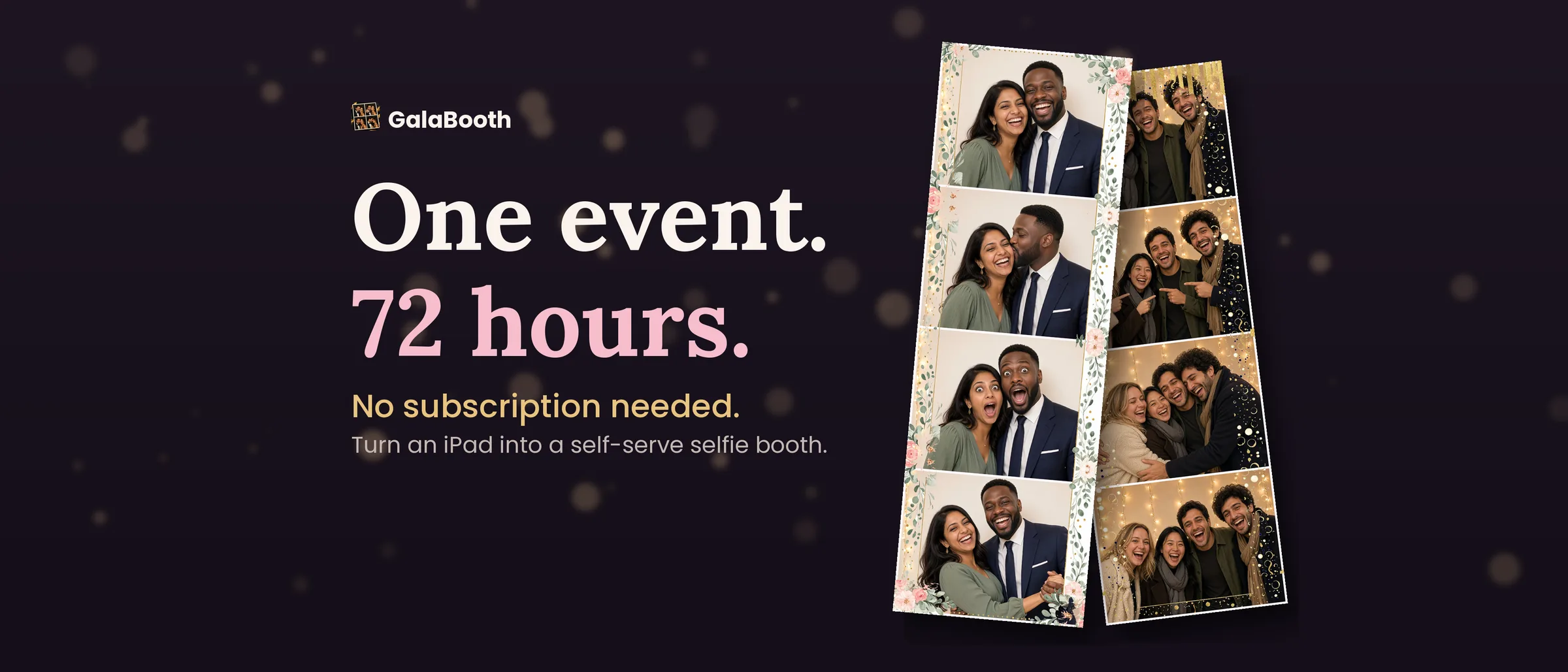
- Birthdays and parties. A tablet on a stand is enough. One Event covers a whole weekend: once started, it runs for up to 72 hours, so the same pass covers a rehearsal dinner, the party and a brunch.
- Office and holiday parties. Guests serve themselves; the host doesn't need to stay at the booth. Live AR costumes let up to two people at once wear different characters, tracked on the device.
- Venues without internet. Halls, barns and outdoor sites often have no Wi-Fi. Shooting works fully offline; for QR delivery, connect the booth and guests to a phone hotspot — no internet data is used to send the photos.
- School dances, churches and libraries. One tablet, no accounts and no ads. Photos stay on the booth device; each QR link shows only that one photo, works only on the same network, and ends when the next guest starts. Shooting works offline in a gym or hall.
Thanksgiving and Friendsgiving photo booth ideas
Set an iPad, iPhone or Android tablet on a stand by the dessert table and let guests take their own 4-cut strips or GIF boomerangs. Each guest scans a QR code on the same Wi-Fi to save their photo, with no app and no account.
- Friendsgiving. A self-serve booth between dinner and pie, with your logo on every photo (One Event or Pro).
- Classroom Thanksgiving party. One tablet, no accounts and no ads. Lock it with Guided Access on iPad or app pinning on Android so kids stay in the booth.
- Family Thanksgiving. From grandparents to kids: four poses per strip, with a countdown before each one.
- Church and community Thanksgiving dinners. Shooting works offline in a hall, and photos stay on the booth device.
- Office Thanksgiving potluck. A quick break between plates; coworkers scan to keep their own strip.
Pricing
| Plan | Price | What you get |
|---|---|---|
| Free | $0 | 1 demo event, watermarked |
| One Event | $9.99, one-time | One event, no watermark, your logo; runs up to 72 hours once started |
| Pro Monthly | $19.99/month | Unlimited events, no watermark, your logo |
| Pro Annual | $119.99/year | Same as Pro Monthly, billed yearly |
Prices in USD; local App Store and Google Play prices may differ. Pro renews automatically until cancelled in your store account.
Frequently asked questions
Does GalaBooth work offline?
Yes. Taking, editing and storing photos works with no internet connection. To deliver photos by QR code, the booth device and the guest's phone must be on the same Wi-Fi network or hotspot; the photo is sent directly between them, not through the internet. Buying a pass needs a connection.
Does GalaBooth have ads?
No. GalaBooth shows no ads to the host or to guests.
How do guests get their photos?
Guests scan the QR code shown next to their finished photo and save it to their phone. The link serves only that photo, works only on the same network, and stops when the next guest starts. You can also use Save to Photos or the share sheet.
Does GalaBooth work on Android?
Yes. GalaBooth is available on Google Play for Android tablets and phones running Android 7.0 or later.
Does it work on iPhone, or only iPad?
Both. GalaBooth runs on iPad and iPhone with iPadOS or iOS 16 or later. A tablet on a stand is the most comfortable setup for guests.
How much does GalaBooth cost?
The app is free and includes one watermarked demo event. One Event costs $9.99 as a one-time purchase — not a subscription — and removes the watermark and adds your logo for one event, running up to 72 hours once started. GalaBooth Pro costs $19.99 a month or $119.99 a year for unlimited events. Prices are in USD; local store prices may differ.
Do guests need to download an app or create an account?
No. Guests only scan a QR code with their phone camera. The host doesn't need an account either.
What photo formats can it make?
4-cut photo strips, 2×2 grids, single photos and 2-second GIF boomerangs, with frames, filters, art styles (sketch, ink, oil paint, pen) and drag-and-pinch stickers.
Can two people wear AR costumes at the same time?
Yes. Live AR character costumes can track up to two faces at once, and each person can wear a different character. Face tracking runs entirely on the device and starts only after a guest chooses a character.
Where are the photos stored, and who can see them?
On the booth device only. GalaBooth has no cloud backup, no analytics SDK and no accounts. Photos leave the device only through QR delivery, Save or Share, or an optional GalaSnap album link that you turn on.
Can I collect booth photos and guests' phone photos in one album?
Yes, with GalaSnap, a guest photo album app from the same publisher. Link an event to a GalaSnap album and each finished booth photo is added to that album, next to the photos guests upload by scanning the album's QR code. GIFs are not sent.
Can I add my own logo or wedding monogram?
Yes, with One Event or Pro. Your logo appears on the photos and the welcome screen, and you can set a welcome message and accent color.
Does GalaBooth have Christmas costumes and frames?
Yes. Version 1.4 (November 2026) adds live AR Christmas costumes — Santa, a holiday sweater, reindeer, a snowman and an elf — and Christmas frames, including tree frames that place the tree behind the people in the photo. Christmas items appear during the holiday season.
GalaBooth compared with other options
| GalaBooth | Renting a photo booth | Phones and a shared folder | |
|---|---|---|---|
| What you need | An iPad, iPhone or Android device you own | Booth hardware delivered and set up | A camera, props and someone to share photos later |
| Cost per event | Free demo · $9.99 One Event · Pro for frequent hosts | Varies by provider and hours | Low, but manual |
| Guests get photos | Instantly, by QR code, no app | Depends on provider (print, email, online gallery) | Later, if someone collects and sends them |
| Internet at venue | Not needed (same Wi-Fi or hotspot for QR) | Depends on provider | — |
| Who runs it | Self-serve; host taps Start | Often an attendant | A volunteer |
Free printable photo booth signs
A free 3-page sign set for your booth table: a “Smile!” sign that walks guests through tapping, posing and scanning the QR code, a numbered four-pose card, and a “Leave us a photo, not a signature” sign for the guest book box with a blank plate for your names. Prints at home on 8.5 × 11. No email required.
Download the printable sign set (PDF)
Thanksgiving and Friendsgiving photo booth printables
Booth table signs (Happy Thanksgiving and Happy Friendsgiving), an "I'm thankful for" sign to hold up in the photo, a four-pose card, and cut-out props (autumn leaf glasses and speech bubbles) to tape on sticks. Prints at home on 8.5 × 11. No email required.
Download the Thanksgiving signs (PDF) · Download the Thanksgiving props (PDF)
Christmas photo booth printables
Two booth table signs (Merry Christmas and Happy Holidays) with a four-pose card, and cut-out props (Santa hat, reindeer antlers, round glasses and speech bubbles) to tape on sticks. Prints at home on 8.5 × 11. No email required.
Download the Christmas signs (PDF) · Download the Christmas props (PDF)
Download and support
Last updated: