 YS LabsAll apps →

Key facts
| Platforms | Host app: iPhone (iOS 16 or later) and Android phones (Android 7.0 or later). Guests: any phone browser, by QR code |
| Price | Free album (50 photos, 14 days, photos only) · Party Pass $9.99 · Starter Event Pass $49 · Pro Event Pass $89, one-time per event (USD; local store prices may differ) |
| Subscription | None. Each pass belongs to one event |
| Ads | None. No ads for the host or guests |
| Accounts | No account for the host or guests. An event is owned by the device that created it; a recovery code moves it to a new phone |
| Who sees the album | The host, and anyone the host sends the view-only gallery link. The guests' QR code is for uploading |
| Videos | On Party, Starter and Pro events, no length limit; up to 200 MB each by default |
| Languages | App: English, Korean · Guest upload page: English, Korean, Spanish, Japanese, French, German (follows the browser language) |
| Internet | Required for the host app and the guest upload page |
| Where data goes | Photos and videos are stored on Cloudflare and deleted automatically when the album's plan period ends; purchases are verified with RevenueCat. No ads, no analytics or tracking SDKs, no facial recognition |
| Latest version | 1.2 (App Store: October 19, 2026) |
| Age rating | App Store 4+ · Google Play 12+ (Teen in the US) |
| Availability | App Store in 175 countries and regions · Google Play in 178 |
| Publisher | YS Labs, South Korea |
How it works
- Create an event in the GalaSnap app and give it a name.
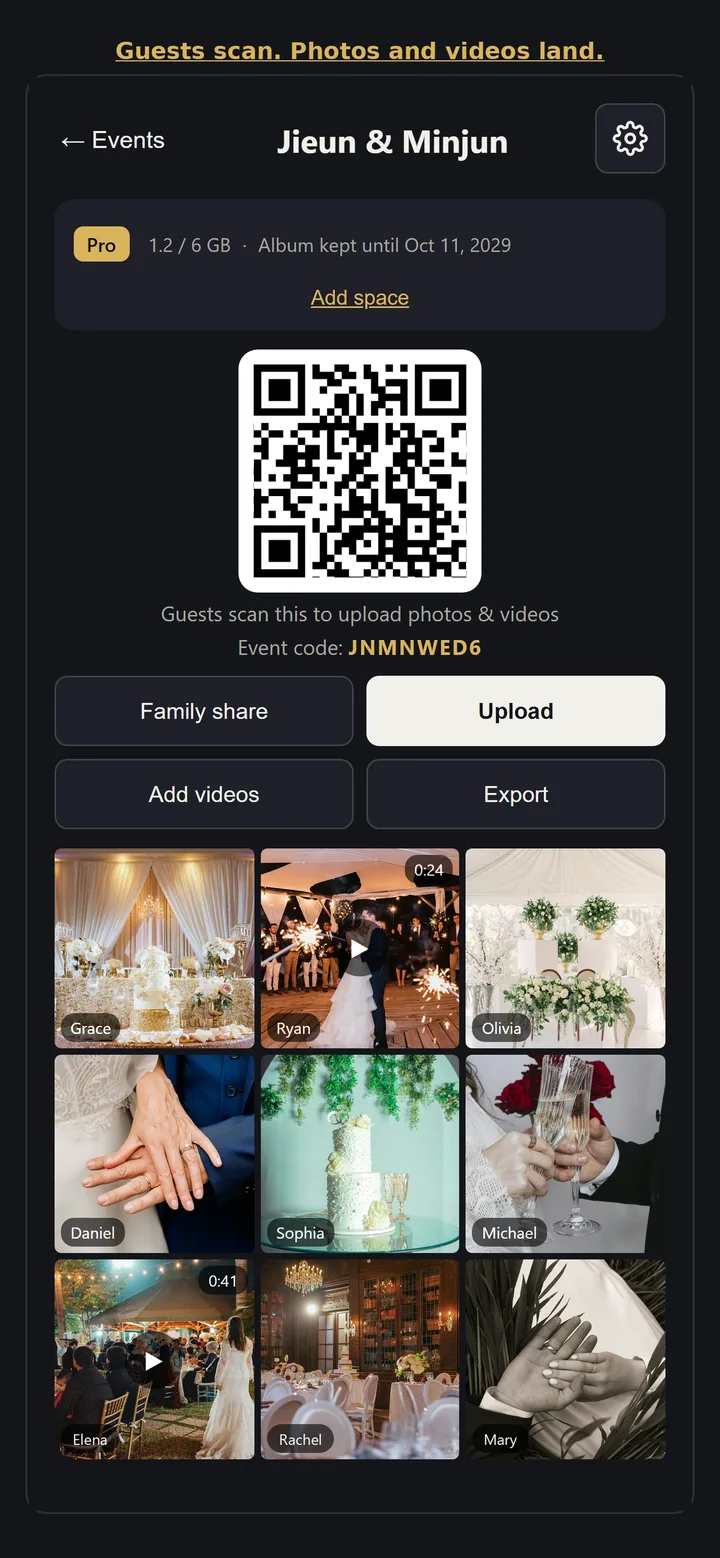
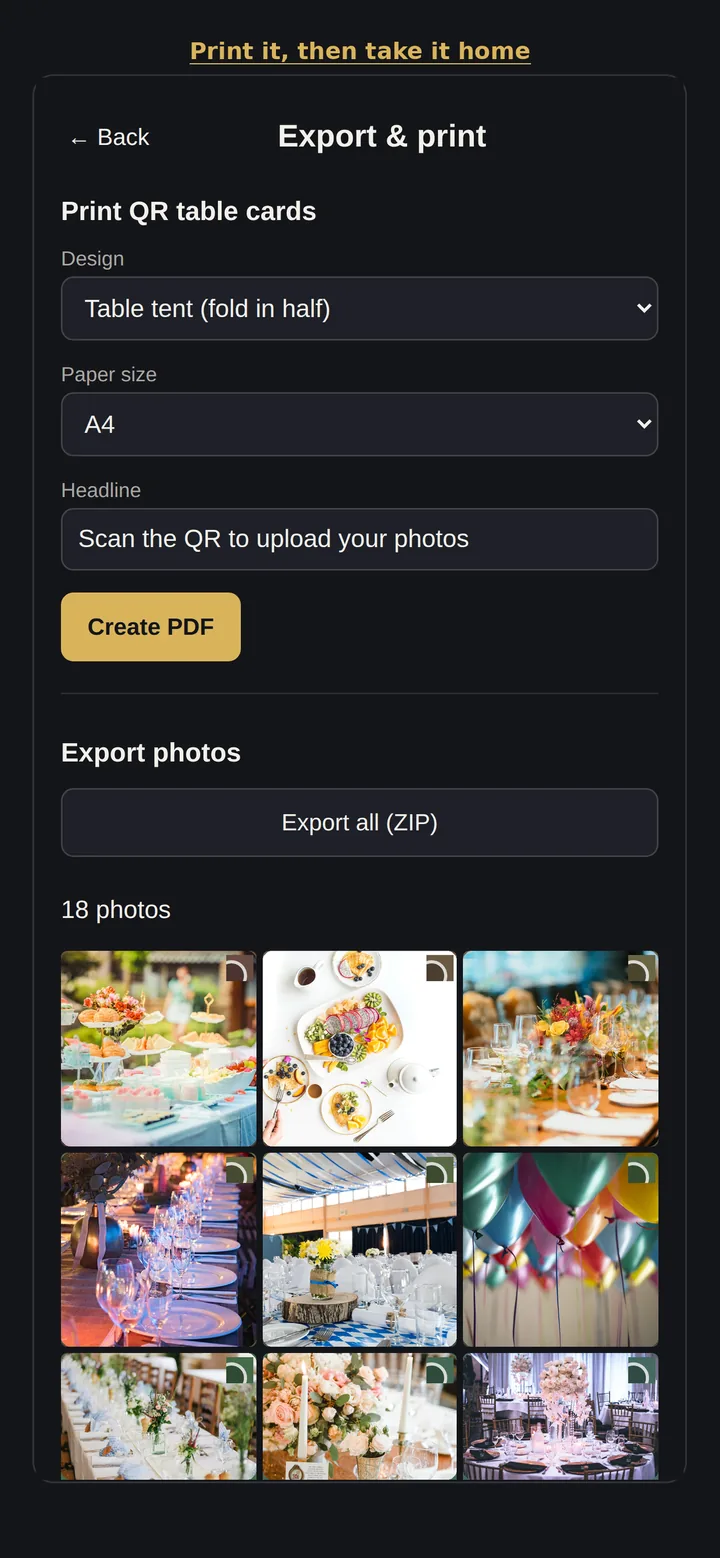
- Print the QR table cards and posters from the app, or show the QR code on screen.
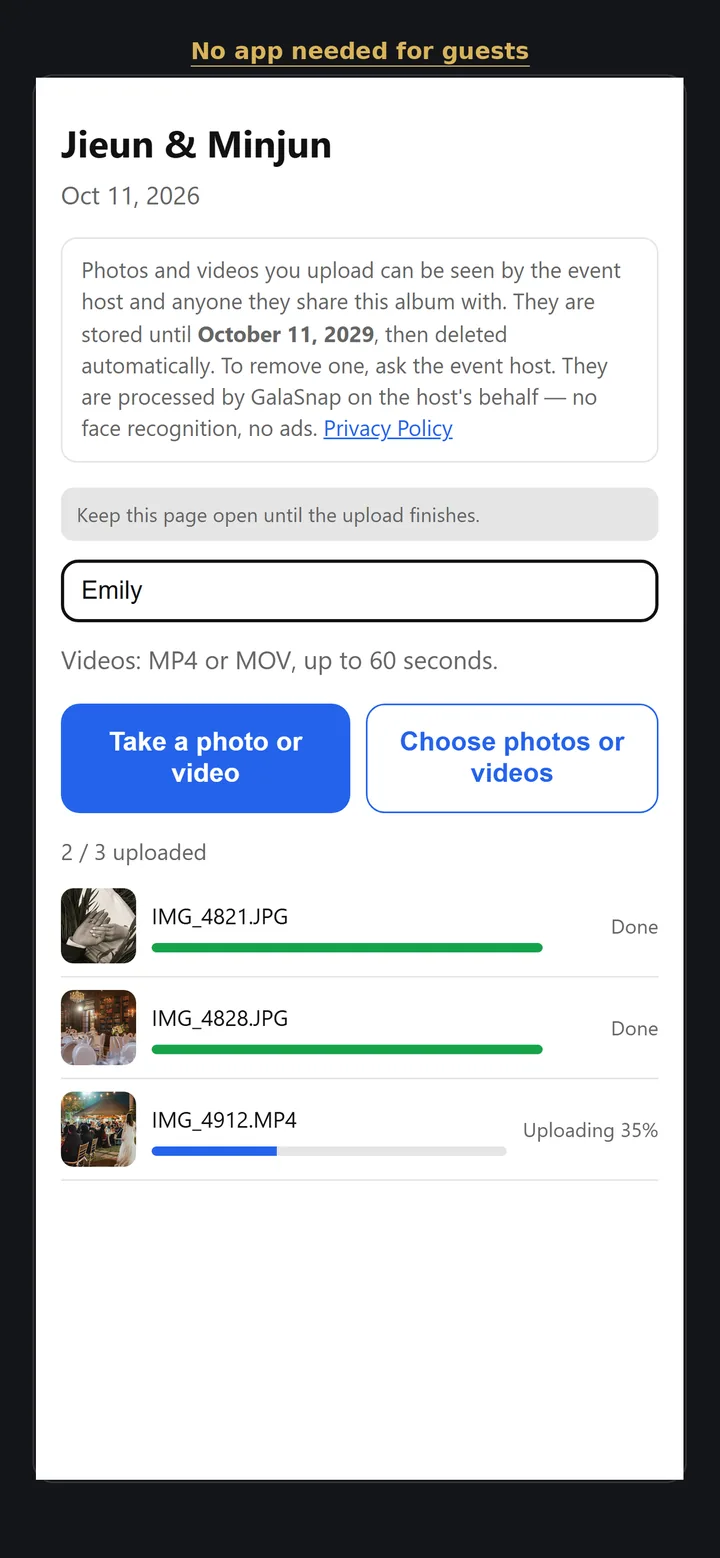
- Guests scan the QR code and upload photos and videos from their phone's browser — no app, no sign-up.
- Watch the album fill up live, and send the view-only gallery link to anyone you want to see it.
- Download everything as a ZIP before the deletion date shown in the app.
Made for
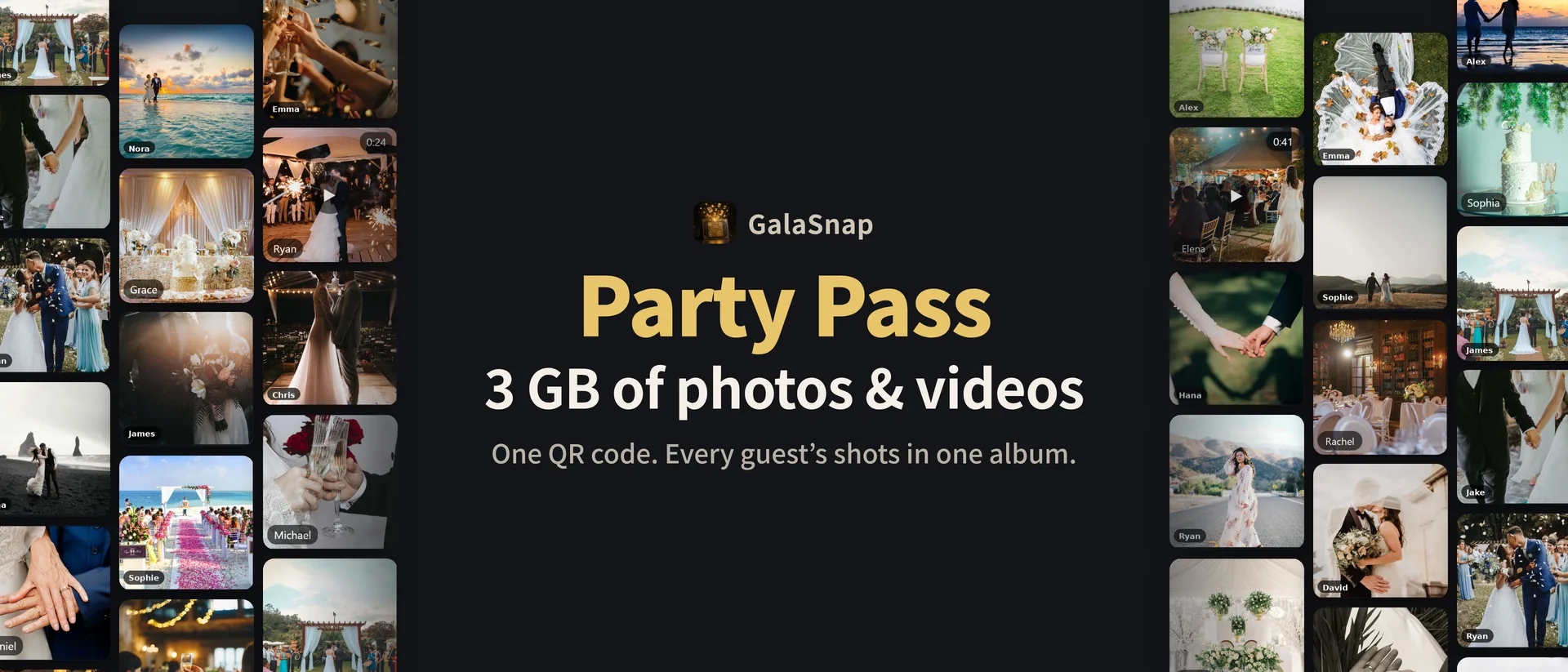
- Weddings. One QR code on each table collects every guest's phone photos and videos in one album. Starter keeps it for 18 months after the event, Pro for 36 months.
- Birthdays and one-night parties. Party Pass ($9.99) opens uploads 3 days before to 3 days after the event, with photos, videos and 3 GB of space.
- Trying it out. A free album holds 50 photos for 14 days.
- Events with a photo booth. Link GalaBooth, a selfie booth app from the same publisher, and its booth photos land in the same album as the guests' photos.
- Quinceañeras and Sweet 16s. The upload page follows each guest's phone language, including Spanish, so grandparents can add photos without an app.
- Thanksgiving and Friendsgiving. One QR card on the table; relatives add photos and videos from Thursday through the weekend with the Party Pass, and grandparents need no app.
- Office holiday parties. Coworkers upload without signing up; you can hide or delete any photo and download one ZIP for the year-end recap.
- Family holidays and reunions. One QR card by the tree or on the table; relatives add photos and videos for 3 days after (Party Pass).
- Baby and bridal showers. Guests who arrive late can still add their photos while uploads are open.
Pricing
| Plan | Price | What you get |
|---|---|---|
| Free | $0 | One active event at a time, up to 50 photos, album kept 14 days, photos only (no videos) |
| Party Pass | $9.99, one-time | Photos + videos, 3 GB; uploads open 3 days before to 3 days after the event; album deleted 17 days after the event |
| Starter Event Pass | $49, one-time | Photos + videos, 3 GB; kept 18 months after the event |
| Pro Event Pass | $89, one-time | Photos + videos, 6 GB; kept 36 months after the event |
| Starter Upgrade | $39, one-time | Upgrades a Party event to Starter (18 months) before it is deleted |
| Pro Upgrade | $40, one-time | Upgrades a Starter event to Pro (36 months, 6 GB) |
| Extra Storage +6 GB | $29, one-time | Adds 6 GB to one paid event (Party, Starter or Pro) |
One-time passes per event, not a subscription. Prices in USD; local App Store and Google Play prices may differ.
Frequently asked questions
Do guests need the app or an account?
No. Guests scan the QR code and upload from their phone's browser. Only the host uses the app, and it has no account either.
Which phones does the host app run on?
iPhone with iOS 16 or later (App Store) and Android phones with Android 7.0 or later (Google Play).
Who can see the album?
Only you and anyone you send the view-only gallery link. The guests' QR code is for uploading.
How long are photos kept?
It depends on the pass: Free 14 days; Party until 17 days after the event; Starter 18 months after the event; Pro 36 months after the event. The app shows the exact deletion date and reminds you before it, so download what you want to keep before then.
Can guests upload videos?
Yes, on Party, Starter and Pro events, with no length limit. Each video can be up to 200 MB by default. Large videos take longer to upload, and guests need to keep the page open until it finishes.
How much does GalaSnap cost?
The free album costs nothing. Party is $9.99, Starter $49 and Pro $89, each a one-time purchase for one event — not a subscription. Prices are in USD; local store prices may differ.
I got a new phone. How do I get my event back?
Open GalaSnap on the new phone, choose "Recover an event" and enter the recovery code shown when you created the event. Passes stay with the event.
Can I restore a purchase?
There is nothing to restore: passes belong to the event, not the store account, so recover the event with its recovery code. If a purchase did not apply, email contact@yslabs.dev with the event code and your store order number.
I need more space or more time. What can I do?
Add an Extra Storage +6 GB pack ($29) to any paid event. Upgrade a Party event to Starter ($39) before it is deleted, or a Starter event to Pro ($40).
How do I delete photos or data?
Delete single photos and videos, or the whole event, in the app — this deletes them from our servers. Guests can ask the host, or email us with the event code. There is no account to delete.
Is there a subscription?
No. Every paid plan is a one-time purchase for one event; nothing renews.
How many photos can a paid event hold?
No photo-count limit on paid plans: 3 GB with Party and Starter, 6 GB with Pro, and 6 GB more per storage pack.
Does GalaSnap have ads?
No. GalaSnap has no ads in the host app, on the guest upload page or in the gallery. There is also no facial recognition and no analytics tracking.
Can a photo booth add photos to the album?
Yes. GalaBooth, a selfie booth app from the same publisher, can send booth photos (not GIFs) to your album when you link the event in GalaBooth.
Photos won't upload from my iPhone — what should I do?
Tap Done once and wait, choose fewer photos at a time, use "Take a photo", or open the page in Chrome. A spinning photo picker is a known issue in recent iOS versions (Apple WebKit bug 325067), not with GalaSnap; restarting the iPhone usually fixes it.
Is GalaSnap a Google Photos alternative for weddings?
Yes, for collecting guests' photos at one event. Guests scan a QR code and upload from their phone's browser with no app and no account, the album is private to the event, there are no ads, and you can hide or delete any photo and download everything as a ZIP.
What is the cheapest way to collect guests' photos and videos with a QR code?
A GalaSnap album is free for up to 50 photos for 14 days. For photos and videos, the Party Pass is $9.99, a one-time purchase for one event (not a subscription): 3 GB, no photo-count limit, uploads open from 3 days before to 3 days after the event.
Can the guest upload page be in Spanish?
Yes. The upload page follows each guest's phone language: English, Spanish, Korean, Japanese, French or German. Relatives whose phones are set to Spanish see it in Spanish.
Can guests see the album, not just upload?
On paid events (Party, Starter, Pro) you can turn on "Show the album to guests," so guests can browse the album and leave hearts.
How do I get everyone's Thanksgiving photos in one album?
Make a GalaSnap album and put its QR code on the table. Relatives scan it with their phone camera and upload from the browser, with no app and no account. A free album holds 50 photos for 14 days; the $9.99 Party Pass adds videos and 3 GB, with uploads open from 3 days before to 3 days after the day you set.
GalaSnap compared with other options
| GalaSnap | Asking guests to send photos later | A shared cloud folder | |
|---|---|---|---|
| What guests do | Scan one QR code and upload from the browser | Send photos one by one through messages | Open the link and use that service's upload flow |
| App or account for guests | None | Depends on the messaging app | Depends on the service |
| When photos arrive | During the event, live | Days later, if at all | Depends on the service |
| Who sees the photos | The host and people with the view-only link | Everyone in the chat | Depends on folder settings |
| Cost | Free album · $9.99–$89 one-time per event | — | Depends on the service |
Download and support
Last updated: